
Tracking wedding RSVPs used to mean sorting through reply cards and manually counting guest responses.
Today, many couples collect RSVPs online instead.
Guests respond through a simple form, and the responses automatically appear in a spreadsheet that tracks attendance, meal selections, and guest numbers.
This approach is faster, easier to manage, and far less stressful when your RSVP deadline approaches.
In this guide, you’ll learn how a simple online RSVP tracker works, what information you should collect from guests, and how couples typically share RSVP forms with their invitations.
How Online Wedding RSVP Tracking Works
A digital RSVP system is surprisingly simple. It usually consists of three connected parts.
First is the RSVP form where guests submit their responses.
Second is a spreadsheet that automatically collects those responses.
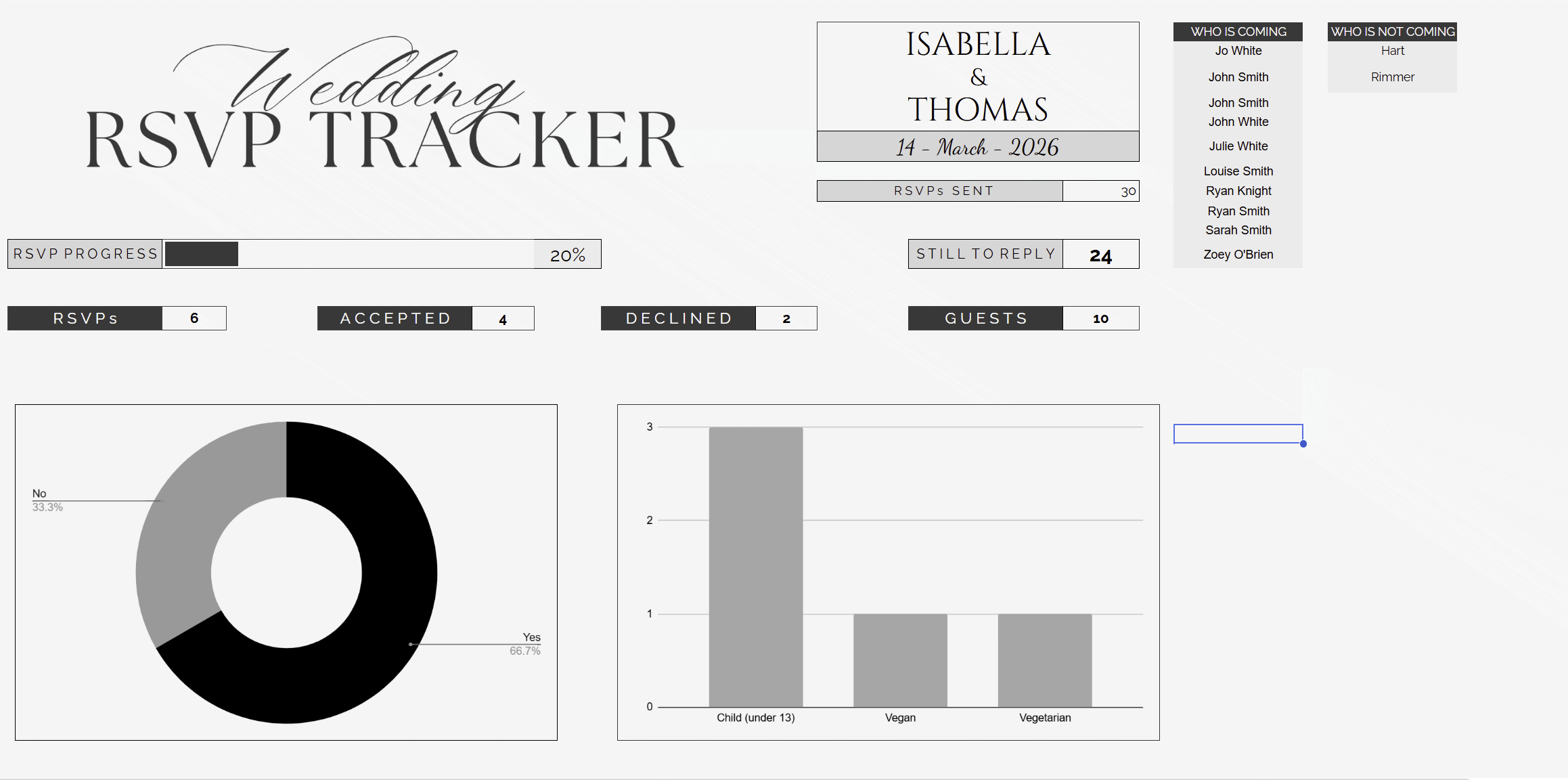
Third is a simple tracker or dashboard that summarizes the information so couples can quickly see their guest numbers.
The system works like this:
Guest opens RSVP form
Guest submits their response
Response is automatically stored in a spreadsheet
The tracker updates guest totals and meal counts
Instead of manually tracking RSVPs in notes or messages, everything is stored in one organized place.
Why Many Couples Choose Online RSVPs
Online RSVPs have become increasingly popular because they simplify guest management and reduce the need for paper reply cards.
Many couples prefer this approach because it:
Removes the cost of printing RSVP cards and envelopes
Prevents lost or delayed responses in the mail
Collects meal selections automatically
Organizes guest data instantly
Makes it easy to see who has not responded
For larger weddings especially, a digital RSVP system can save hours of manual tracking.
What Information Couples Should Collect in an RSVP Form
Before creating an RSVP form, it helps to know what information you actually need from guests.
Keeping the form simple improves response rates and makes the tracker easier to manage.
Basic RSVP Information
Every RSVP form should collect the core attendance information.
Guest name
Will you attend?
Number of guests attending
Plus-one name (if allowed)
This allows the tracker to automatically calculate total guest numbers.
Meal Selections
If guests choose meals in advance, collecting this information in the RSVP form is extremely helpful.
Common examples include:
Chicken meal
Vegetarian meal
Vegan option
Children’s meal
When responses feed into a spreadsheet, the tracker can automatically count each meal selection for the caterer.
Dietary Requirements
Many couples also include a field for dietary restrictions.
Guests can list allergies or dietary needs so the couple can review them in one place instead of chasing guests later.
Optional RSVP Questions
Some couples add optional questions such as:
Song requests
Travel or accommodation details
A message for the couple
Optional questions should be kept minimal to avoid making the RSVP process too long.

Step-by-Step: Setting Up a Simple Online RSVP Tracker
Creating a digital RSVP system only takes a few steps.
Step 1: Create Your RSVP Form
The first step is creating the form guests will complete.
Many couples use tools such as Google Forms because they are free and automatically connect to a spreadsheet.
The form simply asks the RSVP questions you want guests to answer.
Once published, the form generates a link that guests can open from their phone or computer.
If you want a ready-made setup, you can use a pre-built wedding RSVP form template that already includes the typical RSVP questions couples need.
Step 2: Connect the Form to a Spreadsheet
When guests submit the form, their responses automatically populate a spreadsheet.
Each row represents a guest response and records information such as:
Guest name
Attendance status
Guest count
Meal selection
Dietary notes
This spreadsheet becomes the central place where all RSVP responses are stored.
Couples can review the spreadsheet at any time to see responses as they arrive.
Step 3: Organize the Data in an RSVP Tracker
While the spreadsheet collects the data, many couples prefer viewing the information in a cleaner dashboard or tracker.
A tracker can automatically show:
Total guests attending
Total guests declining
Number of unanswered invitations
Meal counts for catering
Instead of scrolling through rows of responses, couples can instantly see the numbers they need.
This is where an RSVP tracker sheet becomes especially useful.
How to Share Your Online RSVP With Wedding Guests
Once the RSVP form is ready, the next step is telling guests how to access it.
Most couples still send physical invitations but replace the traditional RSVP card with a digital response option.
There are several common ways to do this.
Add a QR Code to Your Invitation
QR codes are now widely used for wedding RSVPs.
Guests scan the code using their phone camera, which opens the RSVP form instantly.
Couples typically place the QR code on the invitation details card or RSVP section.
You can also create a QR code that links directly to your RSVP form and include it in your invitation design.
Include an RSVP Website Link
Some couples prefer including a short web address instead of a QR code.
For example:
“Please RSVP by June 1
ourwedding.com/rsvp”
Guests type the link into their phone or computer and complete the form.
If your form link is long, it can be shortened to make it easier to include on invitations.
Add RSVP Instructions to the Details Card
If you are not including traditional reply cards, the details card usually explains how guests should respond.
For example:
“Kindly respond by June 1 by scanning the QR code or visiting our RSVP page.”
This replaces the traditional “return the enclosed RSVP card” wording.
How to Track Wedding RSVPs Once Guests Start Responding
Once your invitations are sent, your tracker becomes the place you check throughout the RSVP period.
At this stage, couples usually need to do four things.
Check Responses Weekly
Rather than constantly checking every day, it helps to review your tracker once a week.
This gives you a clear picture of how many responses have come in so far without making RSVP tracking feel like a full-time hobby.
Monitor Guest Numbers
As responses build up, keep an eye on your total guest count.
This matters for venue capacity, table planning, and your catering numbers. A live spreadsheet makes this much easier because the totals update automatically as guests reply.
Watch for Missing Responses
One of the most useful parts of a digital RSVP tracker is being able to see who has not replied yet.
This makes follow-up much easier when the RSVP deadline gets closer. Instead of digging through messages or paper cards, you can simply check the spreadsheet and see who is still missing.
Confirm Meal Counts for Catering
If your form collects meal selections, your tracker should help you total these up as responses come in.
That means when your caterer asks how many vegetarian or chicken meals you need, you are not trying to piece it together from memory and vibes.
You can also export or share the spreadsheet with a planner, venue coordinator, or caterer if needed, which makes collaboration much easier.
What to Do If Guests Don’t Respond
Even with digital RSVPs, some guests will forget to respond.
This is normal and happens at almost every wedding.
An RSVP tracker makes it easy to see which guests still need reminders.
Couples usually follow up with a quick message or phone call after the RSVP deadline approaches.
Because the tracker lists missing responses clearly, you don’t need to search through messages to find them.
Common Mistakes Couples Make With Online RSVPs
Online RSVP systems are simple, but there are still a few mistakes that can cause unnecessary problems.
Making the Form Too Complicated
A long or confusing form can put guests off responding.
Stick to the information you actually need and keep the process quick.
Forgetting to Include a Deadline
Guests are much more likely to delay their response if there is no clear RSVP deadline.
Always include the deadline on the invitation and anywhere the RSVP link appears.
Not Testing the Form Before Sending Invitations
Before sharing your RSVP form, test it yourself.
Make sure the form works properly, the responses go into the spreadsheet correctly, and all the questions display properly on mobile.
This saves you from discovering a broken form after invitations have already gone out, which is a particularly annoying bit of wedding admin nonsense.
Using a Long or Confusing RSVP Link
If you are adding a website link to your invitations, it needs to be easy to read and type.
A long messy link is awkward for guests and increases the chance of errors. This is one reason QR codes are often the easier option.
Not Collecting Meal Choices Early Enough
If guests need to pre-select meals, add that to the RSVP form from the start.
Waiting until later means extra follow-up and more admin when you are already busy.
A Simple RSVP Form and Tracker Couples Can Use
If you want to make this process easier, using a ready-made RSVP form and tracker can save a lot of time.
Your freebie can be positioned here as the simple solution that helps couples:
Collect RSVPs online
Store responses automatically
Track guest numbers
Monitor meal choices
See who still needs to reply
This is also a good place to show preview images of the form, spreadsheet, and dashboard so couples can immediately understand how the system works.
A Simple RSVP Form and Tracker Couples Can Use
If you want an easy way to manage wedding RSVPs, you can use a ready-made RSVP form and tracking system.
This setup includes:
A wedding RSVP form template
A spreadsheet that automatically collects responses
A simple RSVP dashboard that tracks guest numbers and meal choices
Once connected, couples can share the RSVP link with guests and start collecting responses immediately.
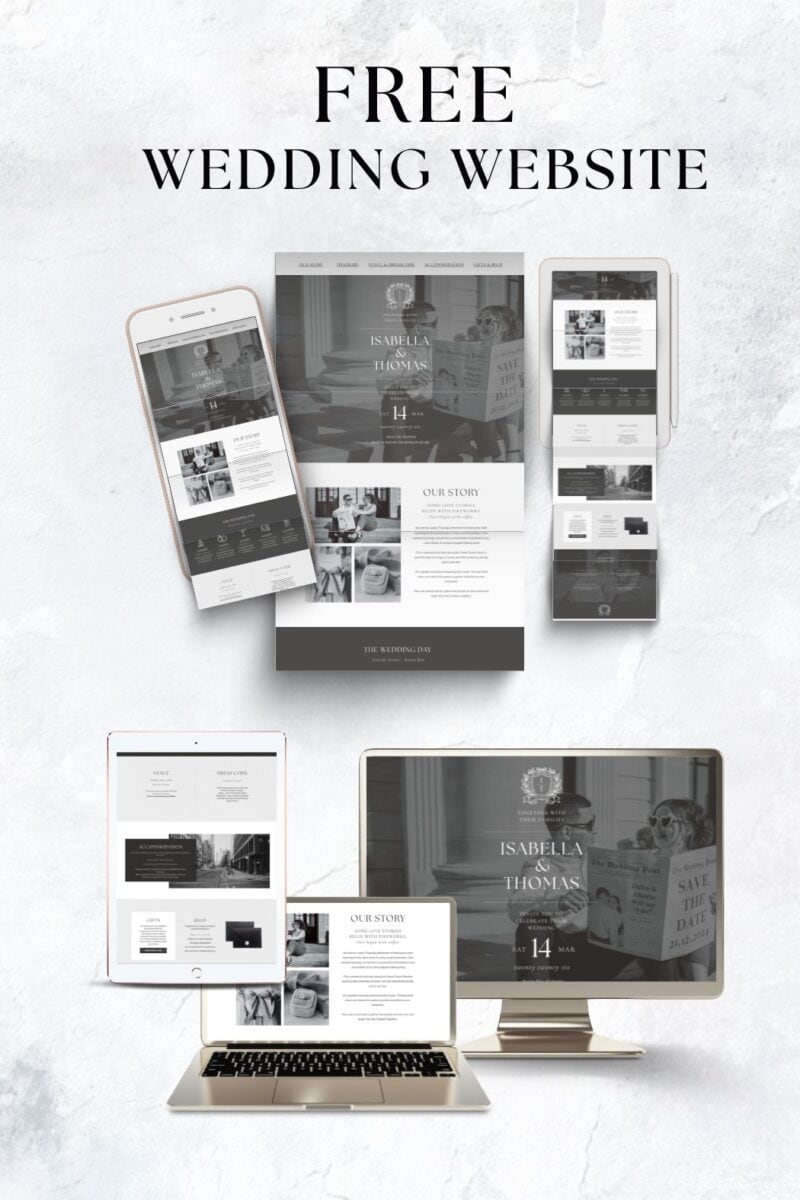
GRAB YOUR FREE WEDDING WEBSITE
More blogs you will love!
- How to Chase Wedding RSVPs Politely (Without Feeling Awkward)

- Wedding RSVP Questions You Should Ask Guests

- The Simple Wedding RSVP Tracker Every Couple Needs
- How to Track Wedding RSVPs Without Losing Your Mind

- Common Wedding Website Mistakes Couples Make (And How to Avoid Them)

- Wedding Website Checklist: Everything to Include Before You Launch Your Site

- Wedding Website FAQ Examples Guests Actually Need

- How to Create a Digital Save the Date Evite (With Our Free Canva Template!)

- 10 Things Every Modern Wedding Website Needs